- Home Page /
- Electronics /
- Computer Accessories /
- Tablet Replacement Parts /
- LCD Displays /
- for iPad mini A1432 LCD Screen Replacement fo...
0 ratings


Item #:
41207970
for iPad mini A1432 LCD Screen Replacement for iPad mini 1 2012 7.9" A1432 A1455 A1454 LCD Display Screen Repair Kits SRJTEK (Not Including Digitizer
Item #:
41207970
ANG 73
Price Details
Excluding Shipping & Custom charges ( Shipping and custom charges will be calculated on checkout )
*All items will import from US
5%
0 ratings
Write a review
Out of stock
 Imported from USA store
Secured transaction
Ubuy works hard to protect your security and privacy. Our advanced payment security system ensures confidentiality by encrypting your information during transmission using AES (Advanced Encryption Standards) and SSL (Secure Socket Layer) protocols. Your payment details are 100% secure as we do not share your payment details with third party sellers.
Our Top Logistics Partners


Brand new and High quality lcd display screen for repairing your broken or malfunctioning FOR iPad Mini screen

Fast
Shipping

Free
Return*

Secure Packaging

100% Original Products

PCI DSS Compliance

ISO 27001 Certified


What Stands Out
Compatible Design
Specifically designed for iPad Mini 1 models A1432, A1455, and A1454, ensuring a perfect fit and seamless integration.
High-Quality Display
Delivers exceptional color accuracy and clarity, restoring your iPad Mini's original visual experience for enjoyment and productivity.
DIY Repair Kit
Includes all necessary tools for an easy installation, empowering users to replace the LCD screen without professional help and save on service costs.
Product Details
- High quality LCD display screen for iPad Mini 1 A1432 A1455 A1454
- Strictly tested before shipping to ensure no scratches or dead areas
- Professional installation recommended; test the screen before installation
- Includes strong box packaging to avoid shipping damage
- Not suitable for DIY installation; contact for installation instruction video
- Brand new repair part to replace broken or malfunctioning screens
| Package Dimensions | 10.79 x 6.69 x 1.02 inches (27.4 x 17 x 2.6 cm) |
| Item Weight | 7.8 ounces (221.13 grams) |
| Item model number | ipad mini |
| Is Discontinued By Manufacturer | No |
| Other display features | Wireless |
| Color | Black |
| Manufacturer | SRJTEK |
| Date First Available | August 8, 2018 |
Who Should Buy?

-
Budget-Conscious Users
Ideal for users looking to save money by repairing their old iPad Mini instead of purchasing a new device.
-
DIY Enthusiasts
Perfect for hands-on individuals who enjoy fixing their own electronics and can follow repair tutorials.
-
iPad Mini Owners
Specifically designed for owners of iPad Mini A1432, ensuring compatibility and a better fit for the device.

-
Non-Technical Users
Not suitable for individuals lacking technical skills, as installation requires some experience with electronics.
-
Repair Shops
Professional repair services may prefer higher quality or original parts rather than generic replacement options.
-
Complete Replacements
Users needing a full display replacement should consider purchasing a kit that includes both LCD and digitizer.
Product Description
Have any Query? Chat with us
Customer Questions & Answers
-
Question:
What is included in the iPad Mini A1432 LCD Screen Replacement kit?
Answer: The iPad Mini A1432 LCD Screen Replacement kit includes all the necessary components to replace the damaged LCD display. However, it does not contain the digitizer, which is the touchscreen component. This kit is designed for users who already have a functioning digitizer or who plan to replace it separately. Ensure you have the right tools for installation, as the repair process involves delicate handling and precision. -
Question:
How do I know if I need a new LCD screen for my iPad Mini?
Answer: Indicators that you may need a new LCD screen include issues such as a cracked screen, discoloration, dead pixels, or a blank display. If you notice any of these problems, it is advisable to assess the LCD's functionality versus the digitizer's responsiveness. Often, a malfunctioning LCD can present symptoms that lead to confusion with the touchscreen. In many cases, replacing the LCD can restore your device to optimal functionality. -
Question:
Is the installation of the iPad Mini A1432 LCD Screen difficult?
Answer: The installation of the iPad Mini A1432 LCD Screen can be moderately challenging, especially for those who have little experience with electronics repair. The process requires precision and care, as you need to carefully remove the old screen without damaging internal components. Detailed guides and videos are available online, which can assist users step-by-step. This can be an excellent project for tech-savvy individuals looking to save on repair costs, offering both a learning experience and a practical solution. -
Question:
Can I use the SRJTEK LCD screen with iPad Mini A1454 or A1455 models?
Answer: Yes, the SRJTEK LCD screen replacement is compatible with various iPad Mini models including A1432, A1454, and A1455. While the dimensions and general functionalities are quite similar among these versions, always ensure you confirm your model before purchasing to avoid compatibility issues. This versatility makes it a convenient option for users who might upgrade their device without needing a new screen replacement kit. -
Question:
What tools do I need to replace my iPad Mini A1432 LCD screen?
Answer: To replace the iPad Mini A1432 LCD screen effectively, you will need specific tools such as a Phillips screwdriver, suction cup, plastic pry tools, and tweezers. These tools facilitate the removal of the old screen and the installation of the new one without risking damage to your device. A tool kit designed for electronics repairs can often provide you with all necessary equipment, streamlining your repair process. -
Question:
What are common mistakes to avoid during LCD screen replacement?
Answer: Common mistakes during the LCD screen replacement include improper handling of the screen, failing to disconnect the battery first, and not following a guide closely. Handling the screen with bare hands can result in fingerprints or oils affecting the display quality. It’s crucial to seek a reliable, detailed guide on the replacement process to mitigate these risks and ensure successful installation. -
Question:
Will replacing the LCD screen fix display issues like flickering or discoloration?
Answer: Replacing the LCD screen can indeed resolve display issues such as flickering, discoloration, or complete blackout. These are typically symptoms of a failing screen, and replacing it should restore clear and stable visuals. If you continue to experience display problems after replacement, there may be underlying hardware issues that require further investigation to identify. -
Question:
How can I maintain my new LCD screen for longevity?
Answer: To maintain your new LCD screen, handle your iPad Mini carefully, and consider applying a screen protector to shield against scratches and impacts. Regularly cleaning the screen with a soft, lint-free cloth can help keep it looking new and vibrant. Additionally, avoid exposing the device to extreme temperatures or humidity, which can damage the LCD over time. -
Question:
Where can I buy the iPad Mini A1432 LCD Screen Replacement in curacao?
Answer: You can purchase the iPad Mini A1432 LCD Screen Replacement on Ubuy in curacao. Ubuy offers a selection of high-quality LCD screen replacements and repair kits. Their platform is user-friendly, making it easy to browse options and read descriptions before making a selection. -
Question:
What is the difference between LCD and digitizer in iPads?
Answer: The LCD (Liquid Crystal Display) is responsible for visual output, producing the images you see on your iPad screen. The digitizer, on the other hand, detects touch input, allowing you to interact with your device. If either component fails, it can lead to issues with display or touchscreen functionality. Understanding this distinction is crucial when diagnosing problems and determining which part may need replacement.
SRJTEK LCD Displays ipad mini Editorial Review


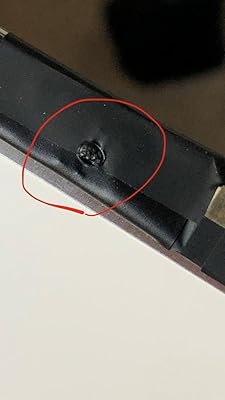

SRJTEK offers an LCD screen replacement for the first-generation iPad Mini. It does not come with the touch screen in the package, and it cannot be used to replace screens on the iPad Mini 2 or 4. Some users have reported installation issues or receiving defective products, while others have had success with the product and seen clear and beautiful displays. However, the majority of reviews suggest that this product is unreliable and may not function correctly.
Customer Reviews & Ratings
157 customers ratings
-
5 Star
59%
-
4 Star
11%
-
3 Star
7%
-
2 Star
3%
-
1 Star
20%
Review this product
Share your thoughts with other customers
Pros
- Good quality display when it works
- Can replace screens on iPad Mini 1
Cons
- Does not come with touch screen
Product Price History
Important information
- Limitations : For products shipped internationally, please note that any manufacturer warranty may not be valid; manufacturer service options may not be available; product manuals, instructions, and safety warnings may not be in destination country languages; the products (and accompanying materials) may not be designed in accordance with destination country standards, specifications, and labeling requirements; and the products may not conform to destination country voltage and other electrical standards (requiring use of an adapter or converter if appropriate). The recipient is responsible for assuring that the product can be lawfully imported to the destination country. When ordering from Ubuy or its affiliates, the recipient is the importer of record and must comply with all laws and regulations of the destination country.
- Not all the products listed on Ubuy are for sale, as Ubuy is a global search engine. Products are subject to export/trade regulations.
ANG 73
Currently unavailable.
We don't know when or if this item will be back in stock.
This item is not restrict in my country.(Please click on above link if this item is not restrict in your country, So our team will review and allow.)
Secured transaction
Ubuy works hard to protect your security and privacy. Our advanced payment security system ensures confidentiality by encrypting your information during transmission using AES (Advanced Encryption Standards) and SSL (Secure Socket Layer) protocols. Your payment details are 100% secure as we do not share your payment details with third party sellers.
Our Top Logistics Partners
Fastest cross-border delivery
Features & Benefits
- Brand new and high-quality LCD display screen
- Ideal for repairing broken or malfunctioning iPad Mini screens
- Strictly tested before shipping
- No scratches or dead areas on the LCD
- Installation suggestions provided
- Strong box packaging to prevent damage during shipping