- Startpagina /
- Software /
- Photography & Graphic Design /
- CAD & Graphic Design /
- AUTOCAD MECHANICAL 2009 ~ Upg From Autocad 2006
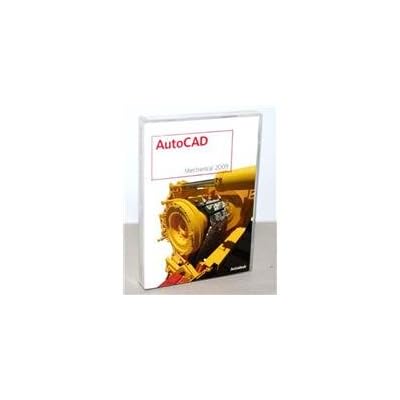


AUTOCAD MECHANICAL 2009 ~ Upg From Autocad 2006
 Geïmporteerd uit USA

Ubuy works hard to protect your security and privacy. Our advanced payment security system ensures confidentiality by encrypting your information during transmission using AES (Advanced Encryption Standards) and SSL (Secure Socket Layer) protocols. Your payment details are 100% secure as we do not share your payment details with third party sellers.


Upgrade to Autodesk 2009 software and benefit from cutting-edge digital modeling tools and advanced simulation and visualization software for improved innovation and efficiency.

Spoedbestelling

Gratis
retourneren*

Stevig verpakt

100% Origineel product

PCI DSS Compliance

ISO 27001 Certified


Wat opvalt
Productdetails
| Manufacturer | AutoDesk |
Voor wie is dit geschikt?

-
Mechanical Engineers
Ideal for mechanical engineers needing specialized tools for designing and drafting in a mechanical-centric workflow.
-
Industrial Designers
Beneficial for industrial designers who focus on machine parts and assemblies requiring detailed automated drafting features.
-
Technical Students
Perfect for students studying engineering or design, providing essential skills in drafting and design software.

-
Casual Users
Not suitable for casual users who require basic drawing tools without the advanced features of mechanical design.
PRODUCTBESCHRIJVING
AUTOCAD MECHANICAL 2009 ~ Upg From Autocad 2006
Vragen & Antwoorden van klanten
-
vraag:
What are the main features of AutoCAD Mechanical 2009?
antwoord: AutoCAD Mechanical 2009 offers specialized tools for mechanical design, including automated standard parts, symbolic representation of components, and associative drawing revisions. These features streamline the design process by enhancing productivity and accuracy. Users can create, modify, and manage complex 2D and 3D models efficiently, making it ideal for engineers and designers who work on mechanical projects. For instance, employing its extensive library of standard parts can significantly reduce design time in projects like machinery design. -
vraag:
Is AutoCAD Mechanical 2009 compatible with Windows 10?
antwoord: AutoCAD Mechanical 2009 is not officially supported on Windows 10, as this operating system was introduced after the software's initial release. Users may encounter compatibility issues when attempting to install or run the software on Windows 10. It’s advisable for users to consider running the software in compatibility mode or utilizing a virtual machine with an earlier version of Windows. For designers who rely on legacy projects, maintaining a compatible system can be essential for accessing older tasks smoothly. -
vraag:
Can AutoCAD Mechanical 2009 open files from newer AutoCAD versions?
antwoord: AutoCAD Mechanical 2009 generally cannot open drawing files created in newer versions of AutoCAD due to format changes. Users can, however, use Autodesk's DWG TrueView to convert newer files into an earlier format compatible with AutoCAD Mechanical 2009. This feature prevents the loss of important design details while allowing access to projects from newer AutoCAD releases. If a user frequently collaborates with teams using different versions, file conversion is a crucial step to ensure smooth project continuity. -
vraag:
What is the upgrade process from AutoCAD 2006 to AutoCAD Mechanical 2009?
antwoord: Upgrading from AutoCAD 2006 to AutoCAD Mechanical 2009 involves uninstalling the older version, followed by installing the new version. It's essential to back up existing project files and settings before beginning the installation process. Users should refer to Autodesk's documentation provided with the software for step-by-step instructions. This upgrade allows users to take advantage of enhanced features and improved performance, which is particularly beneficial for those engaged in detailed mechanical design or needing advanced automation capabilities. -
vraag:
What types of projects are best suited for AutoCAD Mechanical 2009?
antwoord: AutoCAD Mechanical 2009 is best suited for a variety of engineering projects, including machinery design, product design, and fabrication processes. Its specialized mechanical engineering tools support detailed documentation and precise modeling, which are critical in industries like manufacturing and aerospace. For example, a mechanical engineer designing automated equipment can leverage the software’s parametric design capabilities to optimize their work, ensuring every component fits seamlessly with others in the assembly. -
vraag:
Does AutoCAD Mechanical 2009 support 3D modeling?
antwoord: Yes, AutoCAD Mechanical 2009 supports 3D modeling alongside its powerful 2D drafting capabilities. Users can create intricate 3D models of mechanical components, assemblies, and systems, which helps in visualizing projects from all angles. This feature is particularly useful in prototyping stages, where visual clarity can lead to better design decisions. For instance, a team designing a complex assembly might utilize 3D modeling to anticipate fit and function issues before manufacturing begins. -
vraag:
Can I transfer my settings and customizations from AutoCAD 2006 to AutoCAD Mechanical 2009?
antwoord: Yes, users can transfer some settings and customizations from AutoCAD 2006 to AutoCAD Mechanical 2009. This includes user-specific configurations, tool palettes, and command settings, as these facilitate a smoother transition into the new software environment. To do this, importing settings using the AutoCAD Profile Manager is recommended. This continuity allows designers to maintain familiarity and streamline their workflow when adapting to new features. -
vraag:
How can I troubleshoot common issues in AutoCAD Mechanical 2009?
antwoord: Common issues in AutoCAD Mechanical 2009 can often be resolved by resetting the software settings or updating drivers related to video and graphics. Additionally, referring to Online Help can provide solutions for many typical problems experienced by users. Engaging with community forums or Autodesk’s support can also yield advice from experienced users. For example, if performance slows considerably, adjusting settings or purging unused elements can improve the software's responsiveness. -
vraag:
Where can I buy AutoCAD Mechanical 2009 - Upgrade From AutoCAD 2006 in curacao?
antwoord: You can purchase AutoCAD Mechanical 2009 - Upgrade From AutoCAD 2006 at Ubuy, which specializes in a wide range of software solutions. Ubuy often provides deals on software products, ensuring you find the best options available in curacao. It's advisable to check Ubuy for any current promotions or availability that fits your needs, as they cater to various customers seeking reliable software products. -
vraag:
What resources are available for learning AutoCAD Mechanical 2009?
antwoord: There are numerous resources available for learning AutoCAD Mechanical 2009, including official Autodesk training manuals, online courses, and tutorials on platforms like YouTube. Additionally, community forums and forums offer valuable insights and tips from experienced users. Engaging with these resources can enhance your skills, especially for tackling complex designs. For instance, beginners can follow tutorial series to build a solid foundation, while advanced users can explore specific features to maximize productivity.
AutoCAD CAD & Graphic Design Editorial Review
Klantbeoordelingen en -waardering
-
5 ster
100%
-
4 ster
0%
-
3 ster
0%
-
2 ster
0%
-
1 ster
0%
Beoordeel dit product
Deel uw mening met andere klanten
Platform Trust & Buyer Confidence

“The product received very good packaging & safe…Thank You”
“Accurate delivery timing given”
“Not madly expensive like I thought, and much quicker than promised.”
“Never dealt with Ubuy before, but everything worked out great. Seamless cross border purchasing and shipping. Thanks!”
“The process was smooth, with clear communication and timelines. This was my 1st purchase and I am really impressed. I will definitely be coming back.”
Belangrijke informatie
- Beperkingen: voor producten die internationaal worden verzonden, gelieve er rekening mee te houden dat eventuele fabrieksgaranties mogelijk niet geldig zijn; ondersteuningsopties van de fabrikant zijn mogelijk niet beschikbaar; producthandleidingen, instructies en veiligheidswaarschuwingen zijn mogelijk niet in de taal van het land van bestemming; de producten (en bijbehorende materialen) zijn mogelijk niet ontworpen in overeenstemming met de normen, specificaties en etiketteringsvereisten van het land van bestemming; en de producten zijn mogelijk niet in overeenstemming met de voltage- en andere elektriciteitsstandaarden van het land van bestemming (waardoor het gebruik van een adapter of omvormer nodig is, indien van toepassing). De ontvanger is ervoor verantwoordelijk zich ervan te verzekeren dat het product rechtmatig kan worden geïmporteerd naar het land van bestemming. Bij het bestellen bij Ubuy of diens partners geldt de ontvanger als de geregistreerde invoerder en dient zich als zodanig te houden aan alle wetten en voorschriften van het land van bestemming.
- Omdat Ubuy een wereldwijde zoekmachine is, zijn niet alle producten die op Ubuy worden vermeld ook te koop. Producten zijn onderworpen aan wetgeving inzake export en handel.
Momenteel niet verkrijgbaar.
Het is onduidelijk of we dit artikel in de toekomst kunnen leveren.
Dit product is wel in mijn land verkrijgbaar. (Klik op de knop hierboven als dit artikel wel in jouw land verkrijgbaar is. Ons team zal het controleren en aanpassen.)
PCI DSS compliant and ISO 27001:2022 certified, with encrypted payments and full buyer protection on every order.
Ubuy Assurance
Experience worry-free shopping with 100% original products, PCI DSS-compliant payment security, ISO 27001-certified data protection, the fastest cross-border delivery, free returns *, and secure packaging on every order.